A Toggl Track alternative with invoices
Looking for a Toggl alternative that sends invoices? LooperTask turns tracked hours into an invoice, emails it, chases it and records the payment.
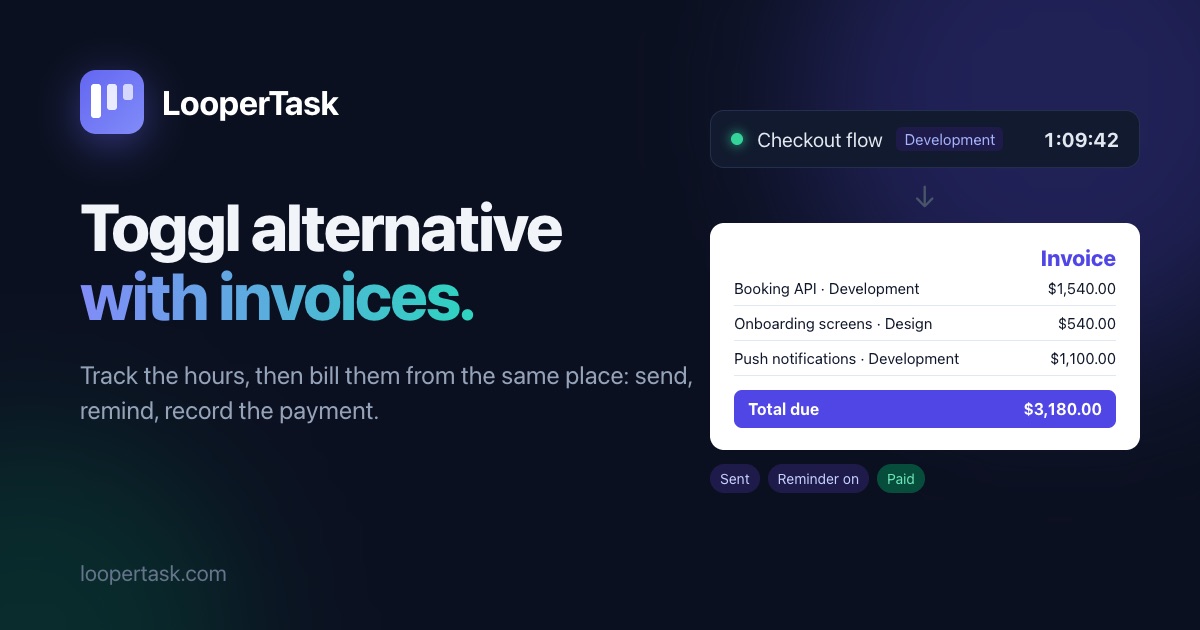
Toggl Track is a good timer, and plenty of teams never need more. The trouble starts at the end of the month, when the hours have to become an invoice. Track can turn a report into a PDF invoice you download. Sending it and keeping track of the payment happen somewhere else, and Toggl's help center suggests a "paid" tag to mark time that's been paid for. The new Toggl, which became Toggl's main product in September 2026, doesn't invoice at all. Its own FAQ tells you to export the hours and use the invoicing tool you already have. Below is how the invoice side works in LooperTask, and where Toggl is still the better pick.
From tracked hours to a draft invoice
In LooperTask you open Invoices and press New invoice. Pick the client and start from "Tracked time": the team's unbilled hours on that client's projects. Choose the period (there are buttons for last month and this month) and how the lines should look: one per task, one per person, or a single line.
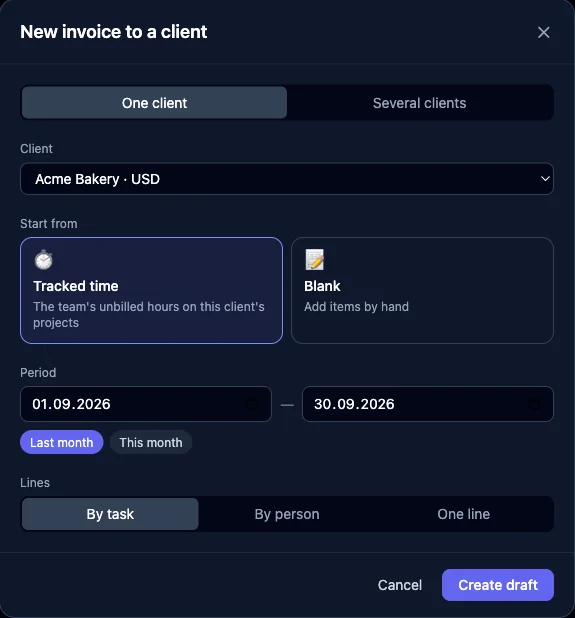
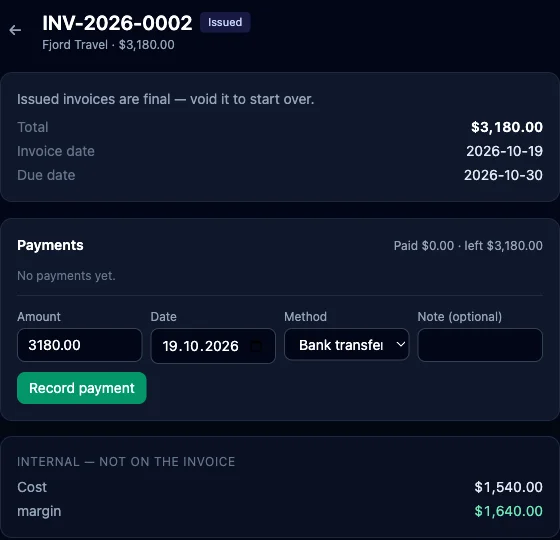
You get a draft with every task and kind of work at its own rate, in the client's currency, with your tax. "Several clients" makes the month's drafts for all of them in one go. As soon as the draft exists, its hours are reserved: nobody can edit them or bill them twice, and discarding the draft frees them again. Once you issue the invoice it's final; to correct it you void it or add a credit note.
The invoice page also shows what those hours cost you and the margin on them. The client never sees that part.
Sending it and getting paid
Under "Send to client" you type the client's address and an optional note, and LooperTask emails a link to the invoice. Replies come to you. The client opens it without an account and can download the PDF. You can also make a portal link per client that lists all their invoices.
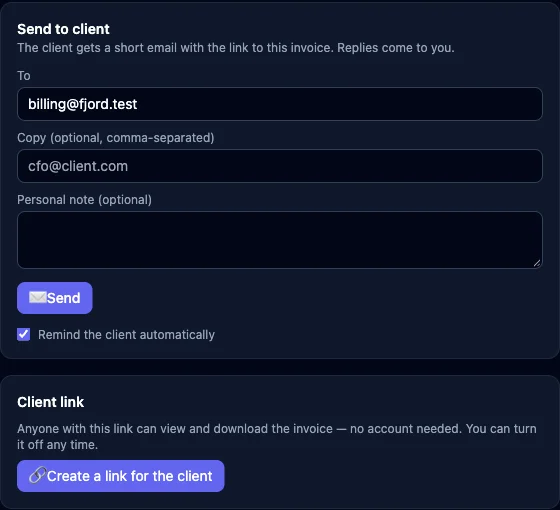
Reminders work once you switch them on under Invoices → Clients → Payment reminders. You pick up to five days after the due date, and LooperTask emails the client on each of them, stopping as soon as the invoice is paid. You can turn them off for one client or one invoice.
When money comes in, record it on the invoice: amount, date, method. A partial payment leaves the invoice "Partly paid" with the rest still owed. If your clients pay through Stripe, connect it read-only under Invoices → Stripe. Payments that name the invoice number are recorded on that invoice without you touching anything.
Who owes what
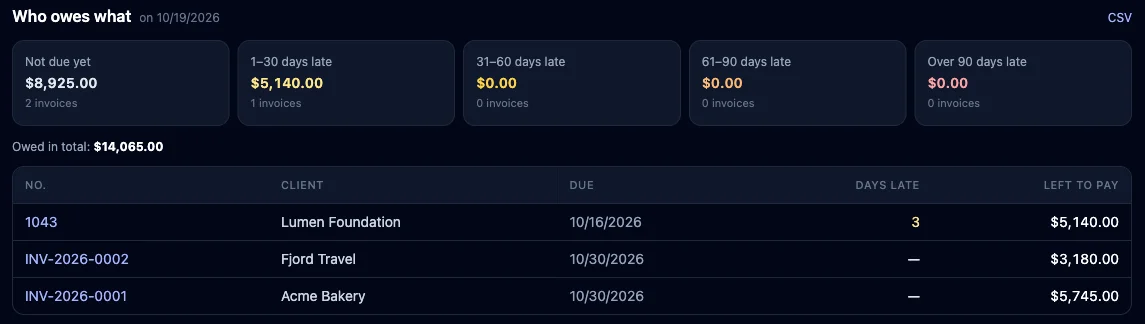
The Reports tab under Invoices starts with "Who owes what". It splits open invoices by how late they are, from not due yet to over 90 days, with the total owed. Below it are invoiced and received amounts per client, the money that came in during the period, and the tax on issued invoices. Each table exports to CSV for your accountant.
Where Toggl is the better choice
Toggl has native apps for Windows, macOS, iOS and Android. LooperTask runs in the browser and has a browser extension for the timer, so if your team lives in a desktop timer, that matters. The new Toggl's Free plan covers up to three people, and it has a task board too.
If you send a few invoices a month from an accounting tool you like, exporting Toggl's report and typing it in may be all you need.
What it costs
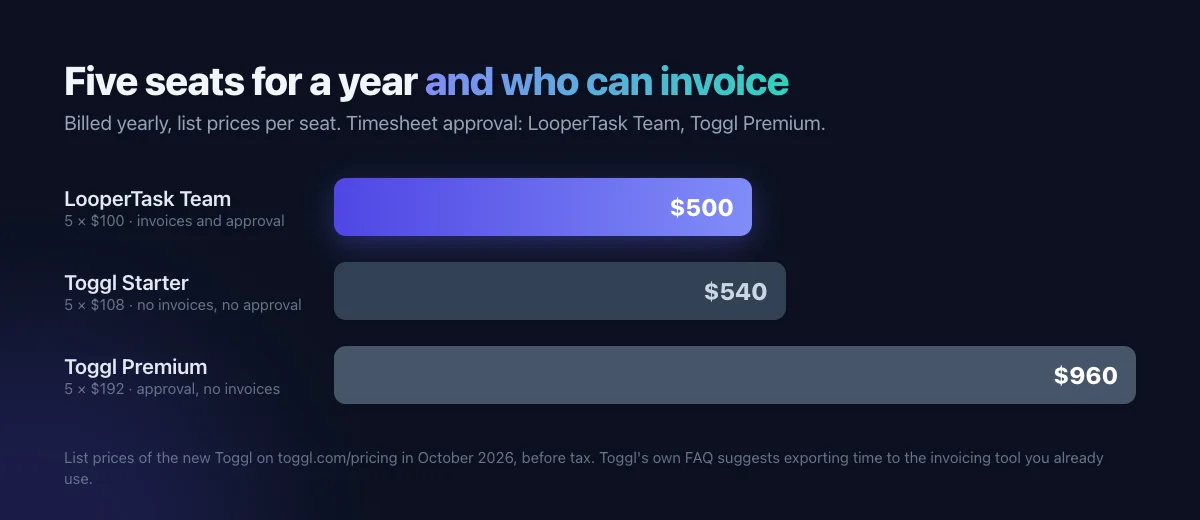
LooperTask has three plans: Free (1 user, 1 project), Solo ($9 a month or $90 a year) and Team ($11 per seat a month or $100 per seat a year). Every plan includes every module: time tracking, invoices, reports and finance. Plans differ in users and projects, so a team needs Team.
On toggl.com/pricing the new Toggl's Starter is $9 per user a month billed yearly ($12 monthly) and Premium is $16 ($24). Timesheet approval and profitability reports are Premium. For five people paying yearly:
Bringing your Toggl hours over
In the new Toggl, open Reports → Time logs, set the dates and use Export → CSV; in Toggl Track it's Reports → Detailed → Export → CSV. Both need a paid plan for CSV. In LooperTask, upload the file under Invoices → Import. Toggl's export has start and end times and emails, so entries keep their exact times and people are matched by email. You see a preview of what will be created before anything is saved. The Harvest migration guide walks through the same preview step by step.
Where to start
Start on the free plan, track a few hours on a card, and make a draft invoice from them. The LooperTask vs Toggl page compares the two in more detail, and Turn tracked hours into a client invoice covers the invoice editor.
More from the blog
-
How to migrate from Harvest to LooperTask
A step-by-step guide to migrate from Harvest: export your time and invoices as CSV, check the import preview, then bring it all into LooperTask.
-
A Harvest alternative with a task board
Looking for a Harvest alternative? LooperTask puts the timer on kanban cards and includes timesheet approval in its Team plan.
-
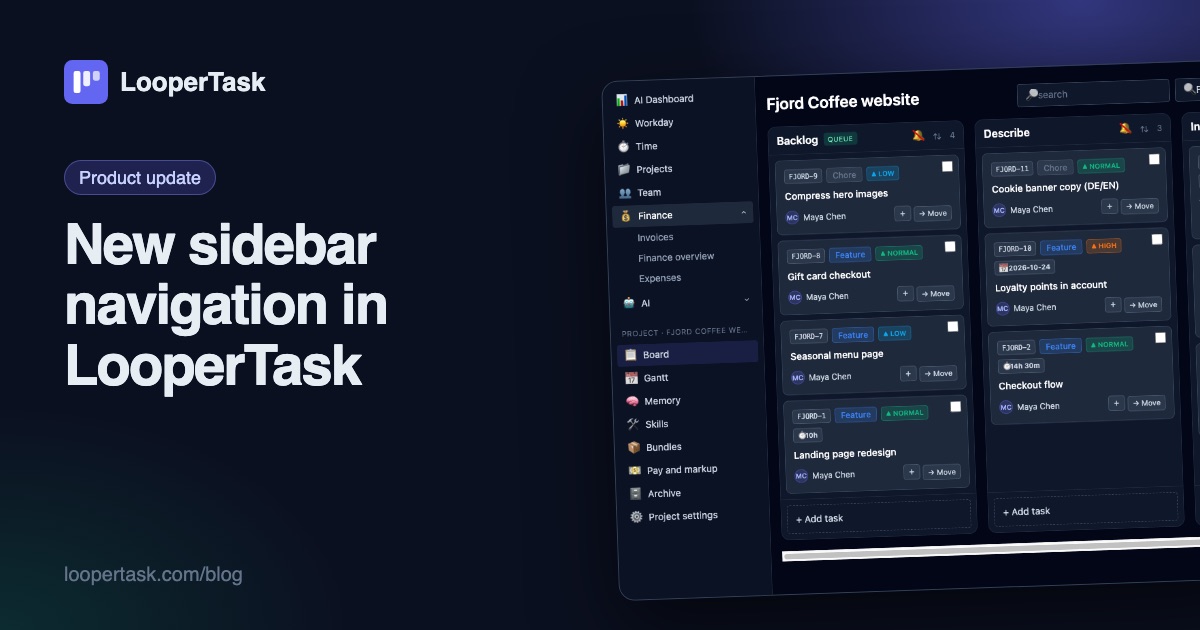
New sidebar navigation in LooperTask
The top menu moved into a sidebar on the left: everyday sections, a project block with the board and Gantt, and one click to collapse it.