A Harvest alternative with a task board
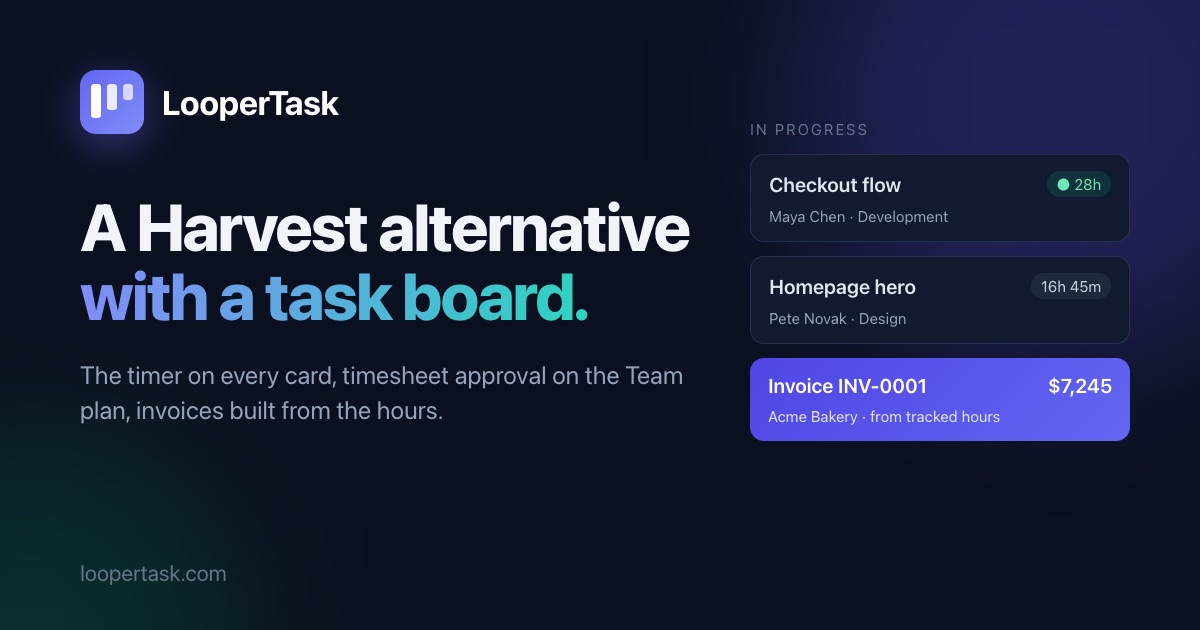
Looking for a Harvest alternative? LooperTask puts the timer on kanban cards and includes timesheet approval in its Team plan.
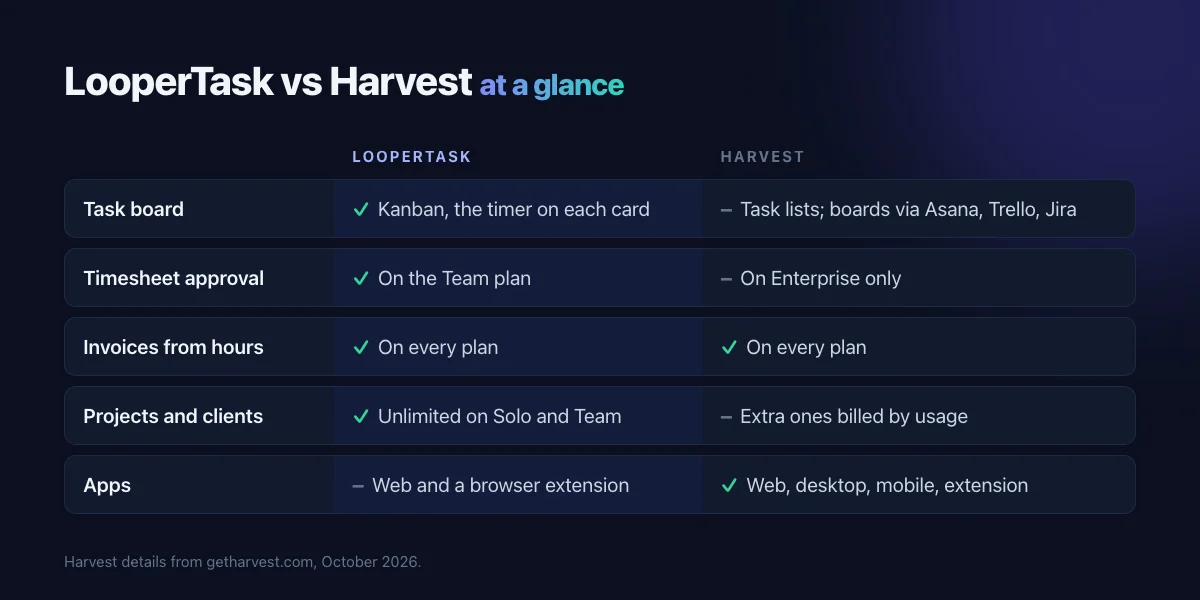
Harvest has tracked hours and sent invoices for years, and it does both well. When people look for a Harvest alternative, the timer is rarely the problem. The trouble is everything around it: the tasks sit in Asana or Jira, approving timesheets needs the Enterprise plan, and extra projects or invoices add to the bill. We built LooperTask for teams that plan their work on a board, so the hours and the invoice start there too. This post compares the two, and says where we'd still point you to Harvest.
Tasks and hours on the same board
In Harvest, projects and tasks are lists you log time against. If you want a board, you connect Asana, Trello or Jira, and the work and the hours end up in two places.
In LooperTask the board is the project. A card has subtasks, comments and files, and it shows the hours tracked on it. You start the timer inside the task or from the Workday page, and you can add time by hand when you forgot. A running timer shows on its card, so anyone looking at the board can see who's on what.
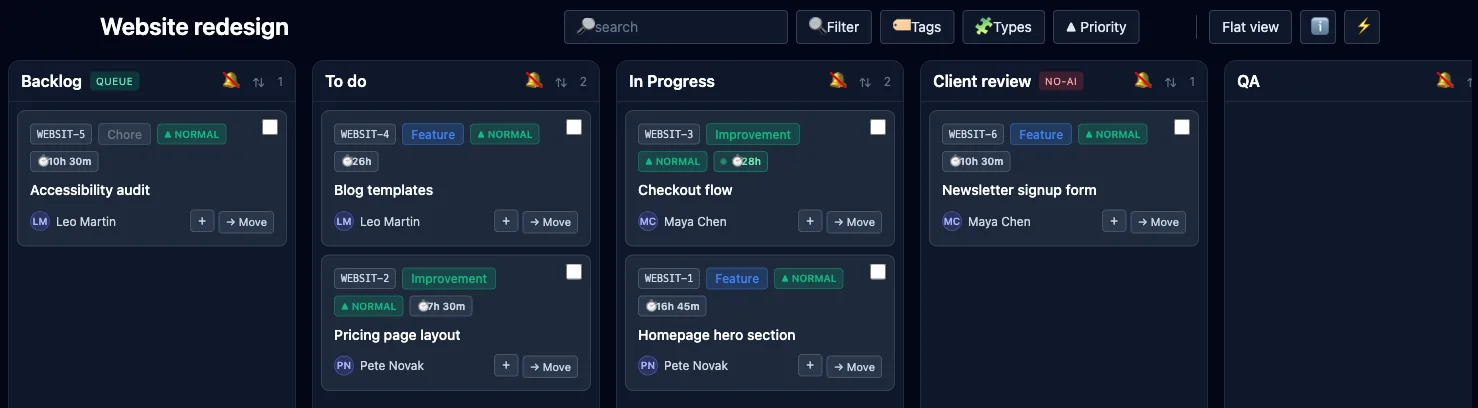
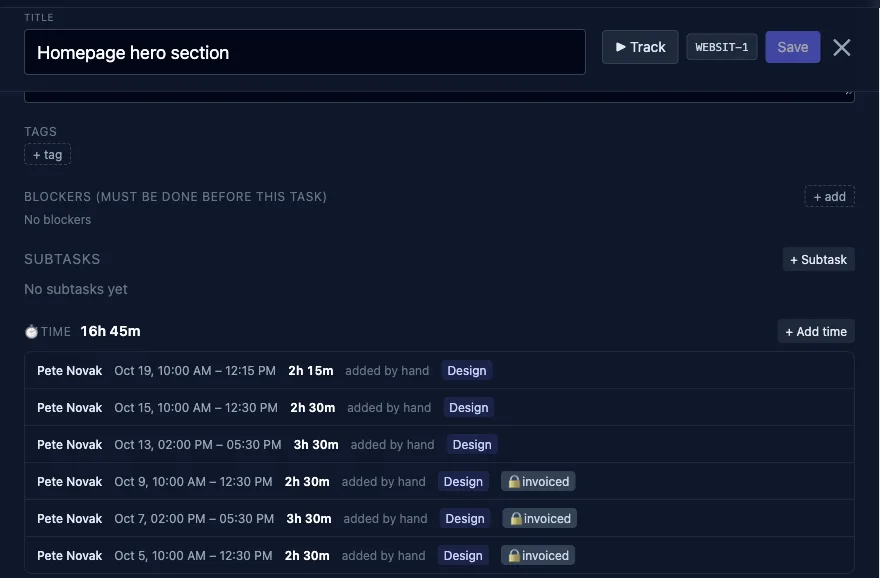
Each entry also says what kind of work it was. You keep that list yourself (Design, Development, Meetings, whatever fits) under Team → Work types and client rates. The timer picks the kind you last used on that task.
Invoices built from those hours
A client invoice starts from tracked time. Pick the client and the dates, and LooperTask adds a line for every task and kind of work, each at its own rate. In the example below that's $90 an hour for design, $110 for development and $60 for meetings.
The invoice is in the client's currency, with tax and a PDF. LooperTask records payments and, once you switch reminders on, emails the client when an invoice is overdue. Hours on an invoice are locked, so an issued invoice keeps its numbers. If you raise a rate later, "Re-price unbilled hours" moves the time you haven't invoiced yet to the new rate and leaves issued invoices as they are.
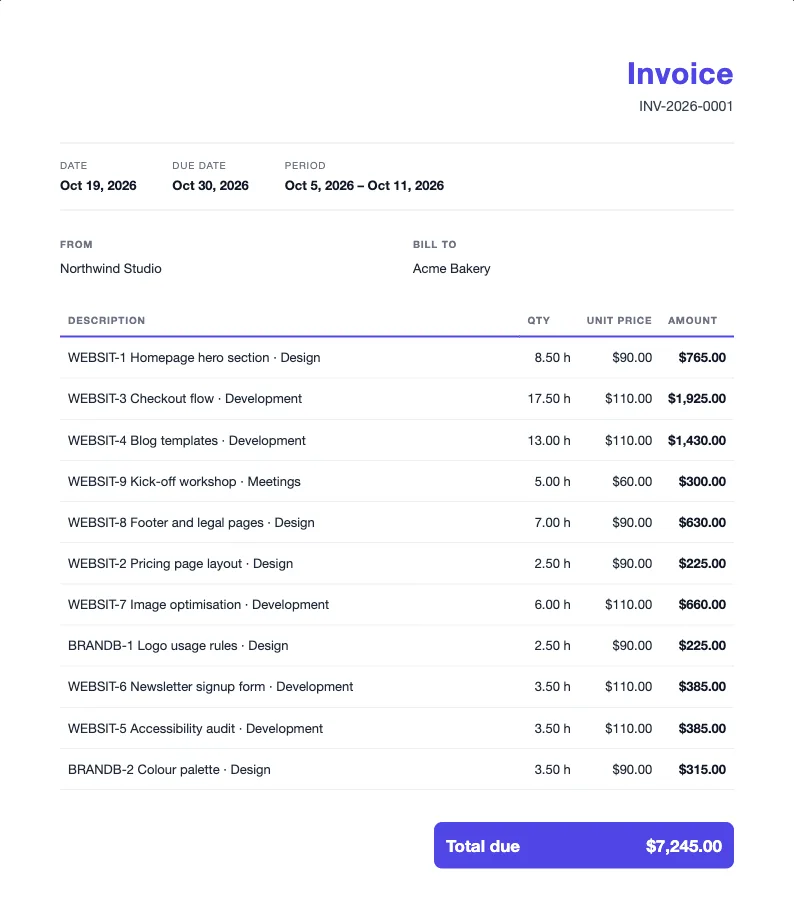
The invoice builder has its own walkthrough: Turn tracked hours into a client invoice.
Timesheet approval on the Team plan
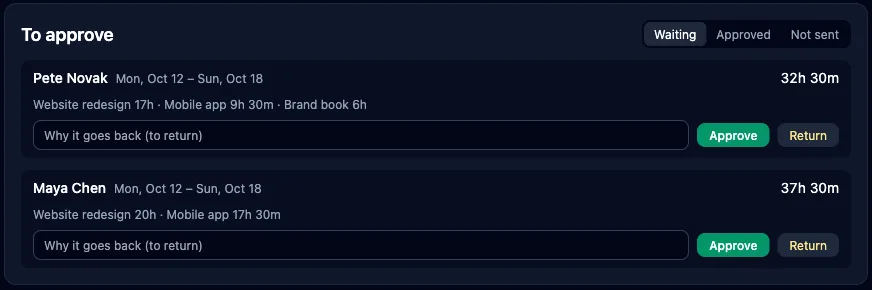
Harvest includes timesheet approval in its Enterprise plan. In LooperTask you switch it on for the workspace under Team → Timers → Timesheet approval.
When a week is over, each person presses "Send for approval". A manager approves the week or returns it with a reason. A week that's waiting or approved can't be edited, and only approved hours go on invoices.
Margin, not only hours
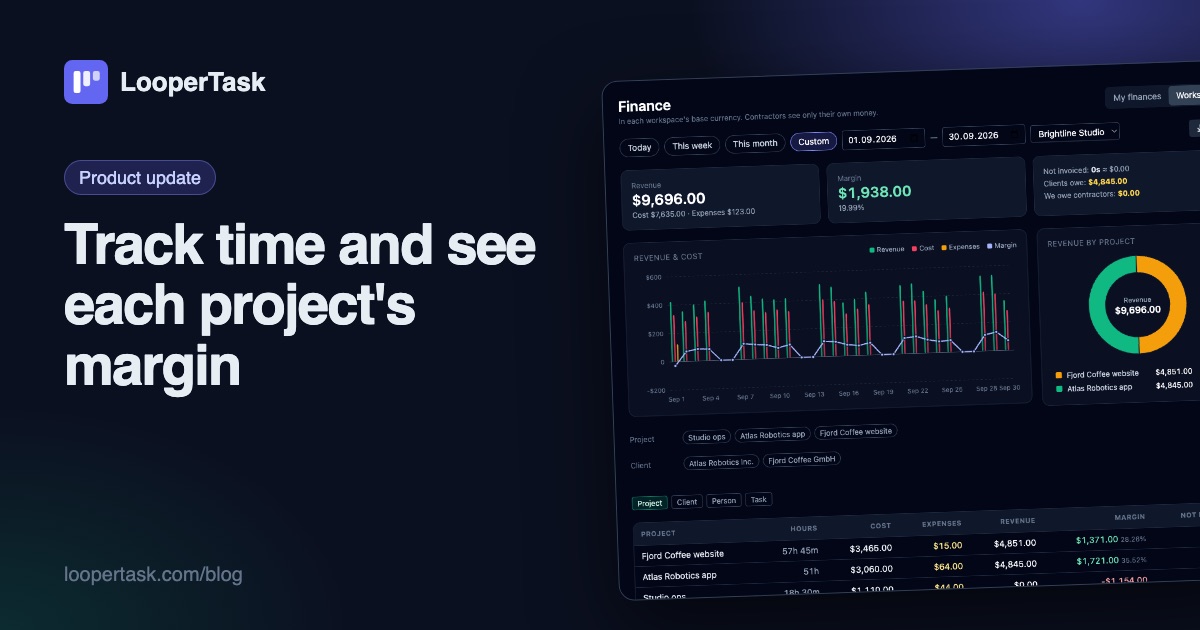
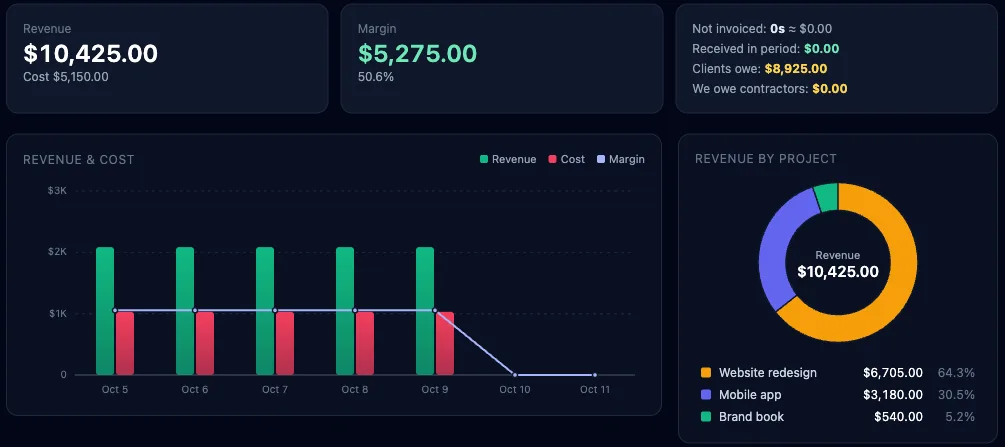
Hours tell you how busy people were. They don't tell you whether a project made money. Finance shows revenue, cost and margin for any period, by project, client, person or task. The cost comes from what you pay people: an hourly rate, or a monthly salary spread over the hours that person tracked. You can also compare a month, a quarter or a year with the period before it, or with the same dates last year. Track time and see each project's margin goes into more detail.
What it costs
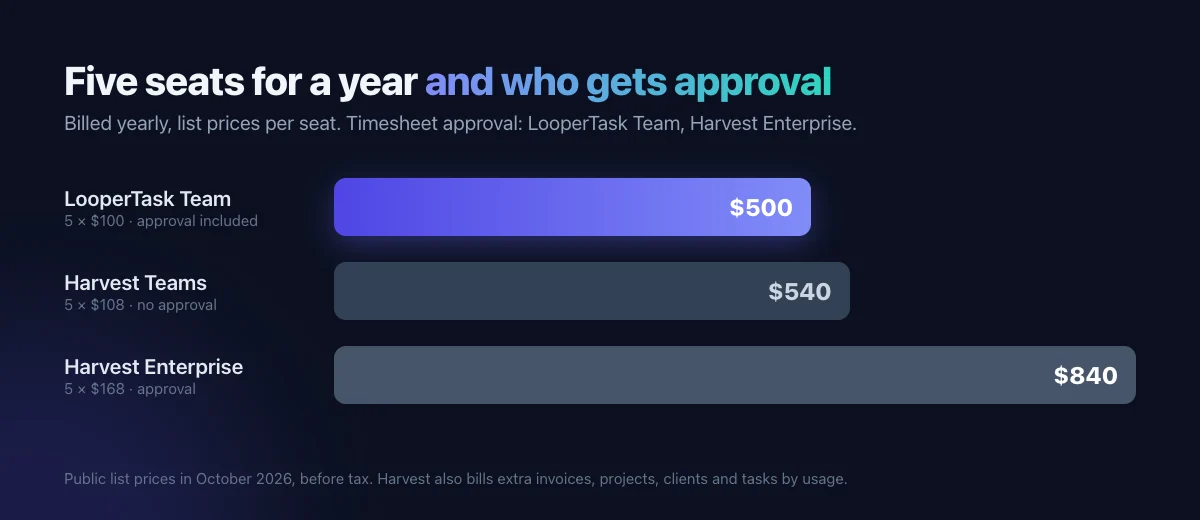
LooperTask has three plans: Free (1 user, 1 project, up to 100 tasks), Solo ($9 a month or $90 a year) and Team ($11 per seat a month or $100 per seat a year). Solo and Team don't cap projects, clients or invoices. Every plan has the same features, so you never move up a tier just to get approval or invoicing; Team adds the seats.
Harvest's pricing page lists Teams at $9 per seat a month billed yearly ($11 billed monthly) and Enterprise at $14 ($17.50), with extra invoices, projects, clients and tasks billed by usage. Here's what that means for five people paying yearly:
When Harvest is the better choice
If your tasks already live in Asana or Jira and you only need hours and invoices next to them, Harvest does that job well. It has desktop and mobile apps; LooperTask runs in the browser and has a browser extension for the timer. And Harvest connects to QuickBooks Online and Xero, so if your accountant works in one of those, that alone may decide it.
Bringing your data over
Export the detailed time report and the invoices from Harvest as CSV files and upload them in LooperTask under Invoices → Import. Before anything is written, you see what will be created. Projects and invoice numbers come along, and people are matched to the members of your workspace.
Where to start
Start on the free plan and import a week of Harvest time to see it on a board. The LooperTask vs Harvest page has the full comparison with sources.
More from the blog
-
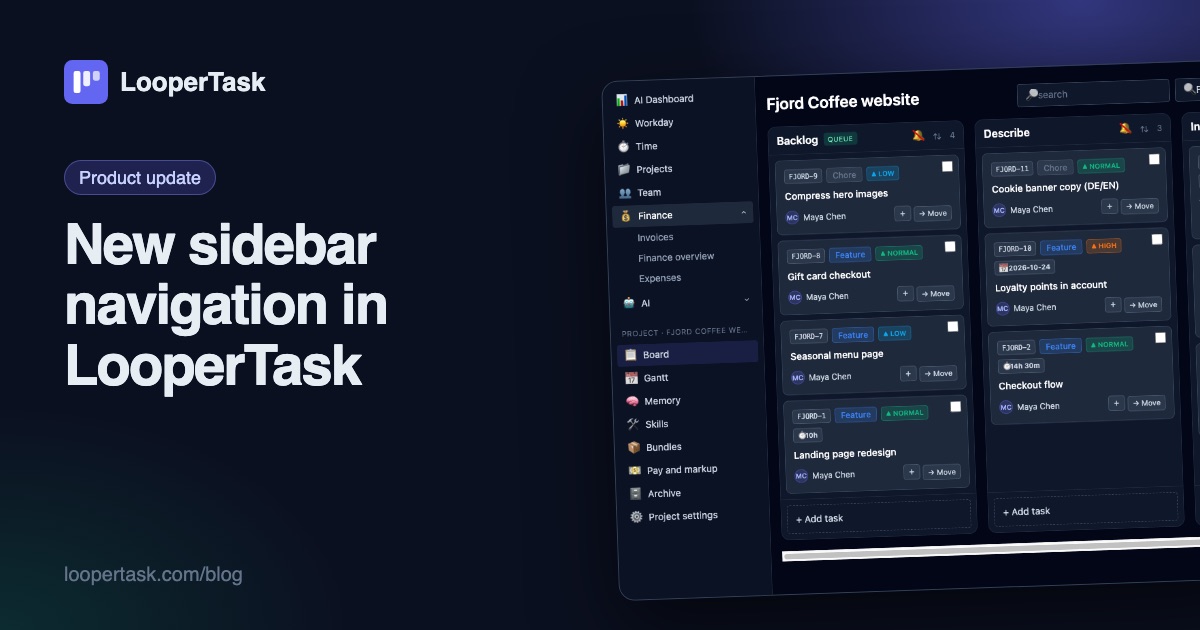
New sidebar navigation in LooperTask
The top menu moved into a sidebar on the left: everyday sections, a project block with the board and Gantt, and one click to collapse it.
-
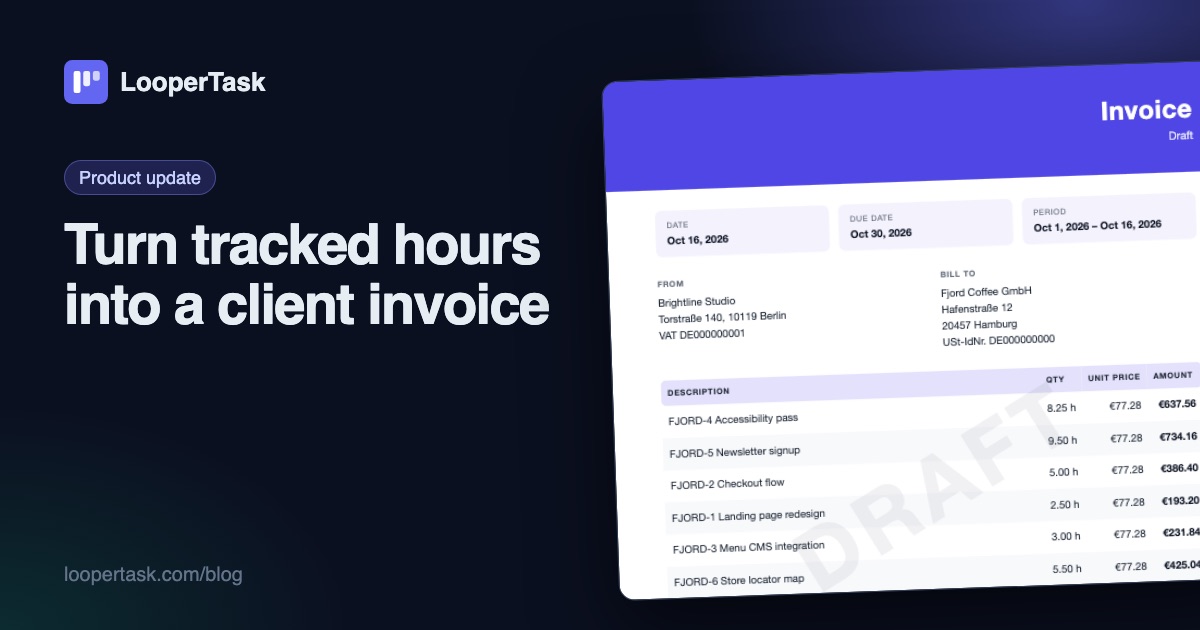
Turn tracked hours into a client invoice
LooperTask now builds invoices from the hours you track: add items, discounts and expenses, pick a template, and download a PDF ready to send.
-
Track time and see each project's margin
Timers on every task, a Workday view, rates and markup per project, expenses, and a finance overview with revenue, cost and margin per project.